Custom Vector Fields in Houdini
To start its best to find some reference as its difficult to predict how a volume might move. Once you have a good video or at least an image, figure out how the volume is moving and what is causing it (is there a fire causing an updraft or high windshear for example) For me I found a video of a large oil fire that was twisting and skewed off to one side due to the wind. Below you can see how I created velocity volumes to mimic the twisting motion:
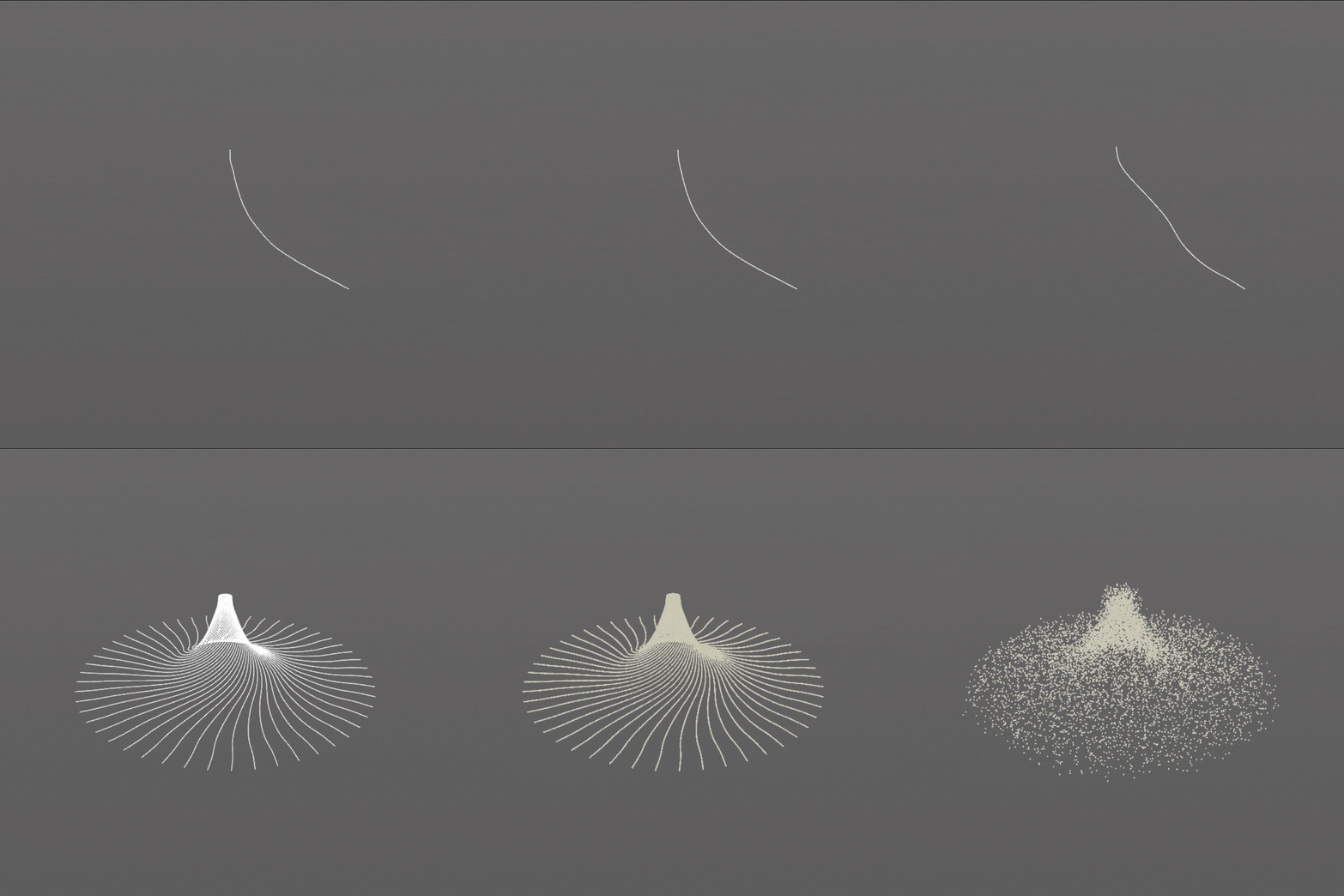
At first I took inspiration from an impeller and used it to create a similar shape around the center of where I wanted my fire, then I converted it to points using the tangent as a velocity vector. I moved these points in a random direction just a bit and then used a point replicate to fill out the area a bit. The gif below just shows the same operations more or less but with the velocity vectors displayed.
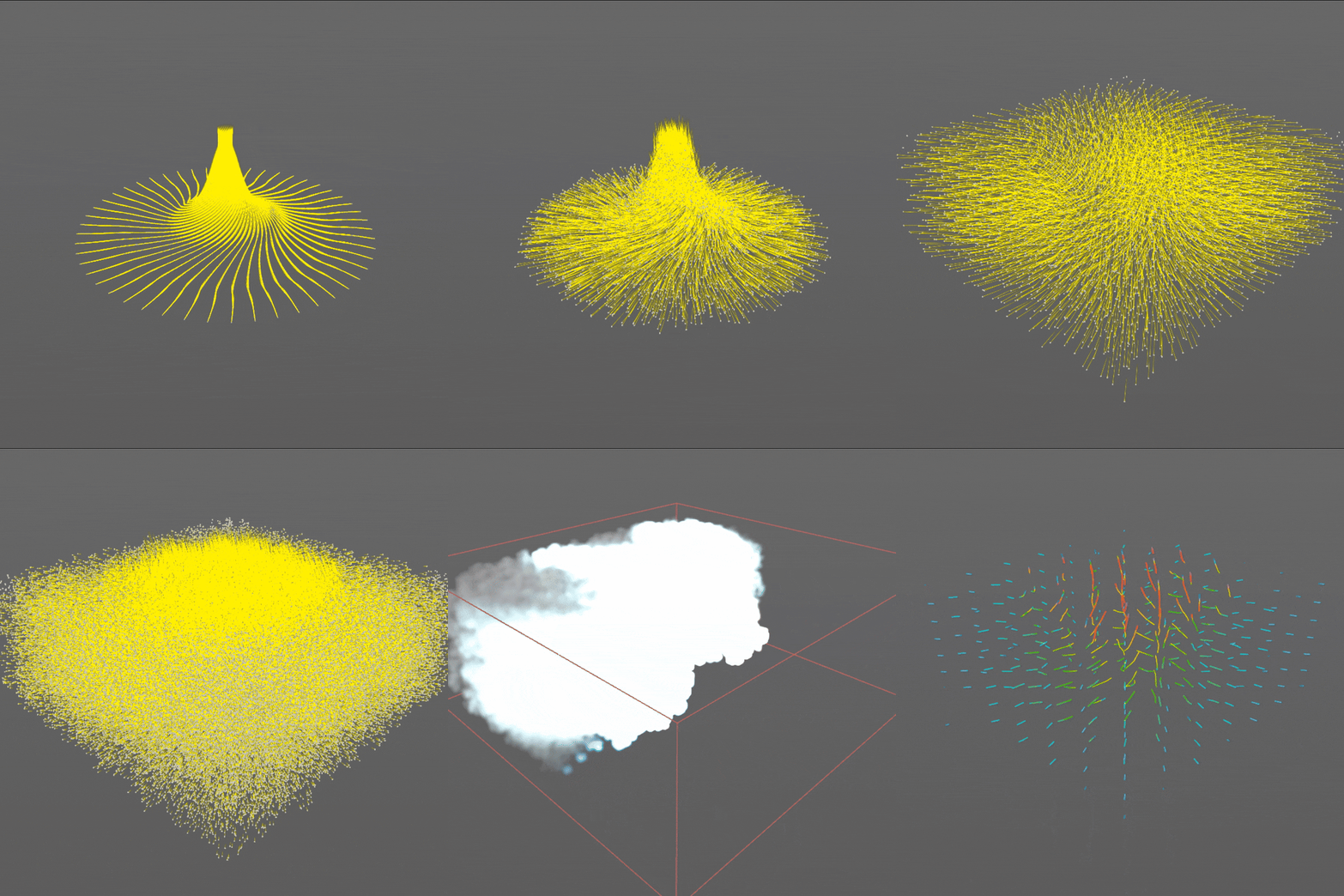
I then did a similar thing to create the wind getting stronger the higher up the volume goes.
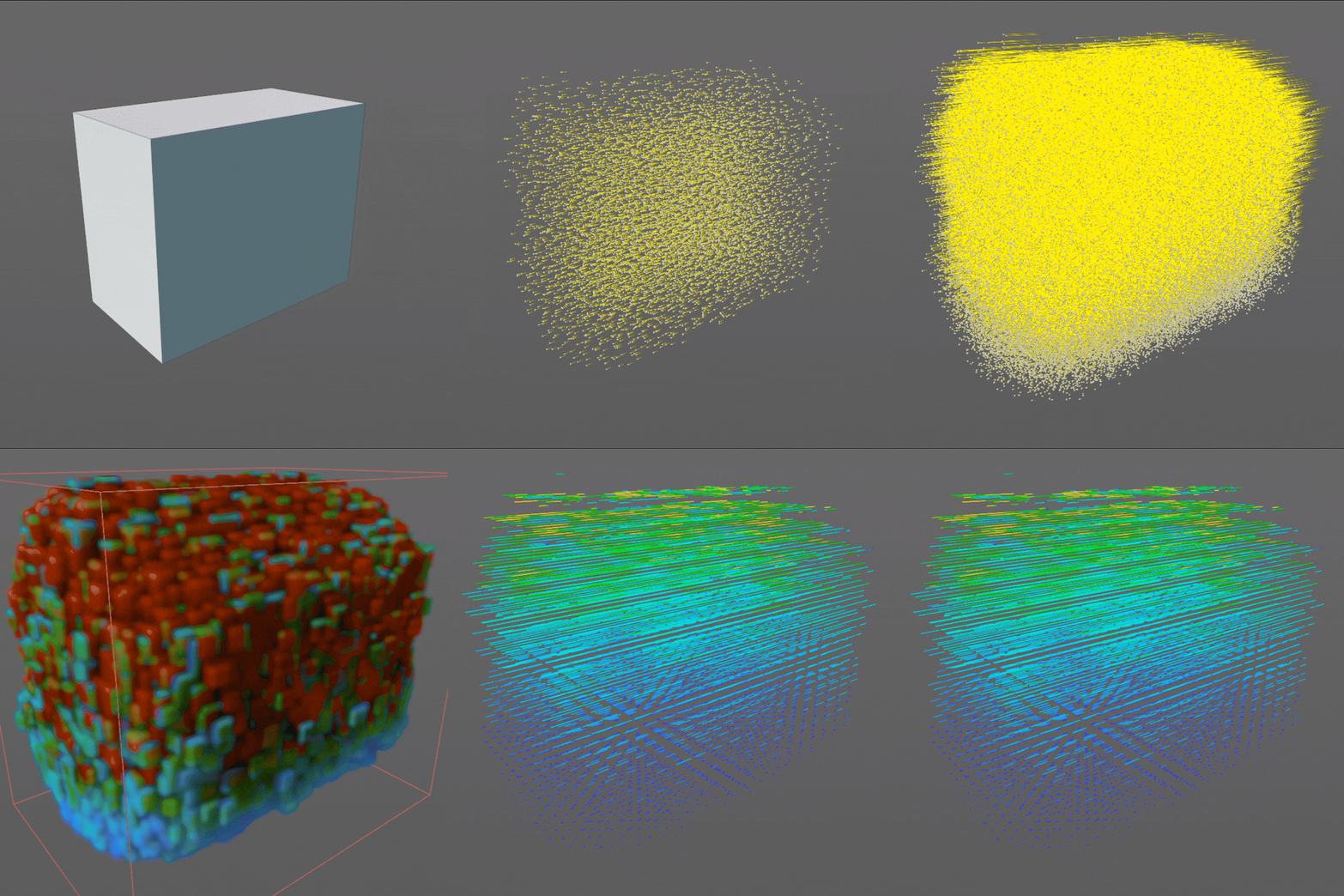
At the end of these methods you can scatter points in the bounding box of the previous points, transferring the velocity from the nearest point, this is now ready to rasterize into a volume and feed into a solver.
Large Scale Pyro Simulations
Large scale simulations in Houdini are pretty simple with a few things that really help to make things run smoothly.
The most pressing issue is usually either do I have enough ram/vram or that the sim takes too long. The best way to mitigate having too little ram is to make the simulation less detailed, often motion blur, compositing and any number of other factors can make up for smaller simulation.
If it has to be that resolution and size, there are other methods but these will make the sim time longer or have other issues.
The first is to make sure you have a page file. On windows this is a space reserved for putting data that can't fit in ram. You most likely have one already setup however you can change the size and number of them. For instance if you have a C: drive and other SSDs then it could be help having large page files on several of them. These however are quite taxing on the SSDs and could shorten their life, this does not work on HDDs as they are too slow and more prone to failure. This will allow your computer to overflow on ram more than previously, but it will be much slower than reading directly from RAM so it is not recommended if you can avoid it.
The other method I used a lot is Frustrum Culling, Frustrum Culling removes objects or in this case voxels outside the camera can it can be used to reduce the computation especially in OpenCL calculations. Its quite easy to setup using a VDB clip node and referencing the camera in the Camera field (its also good to add some padding so the camera doesn't see any of the clipping)
Render the pyro
Rendering volumetrics can often be slow due to the high volume bounces needed for realistic lighting. This can then be compounded if the pyro is the main light source of the scene, causing the scene to be noisy and reflecting the noise back on the volume.
It is also important to keep in mind the volume size. When rendering volumes which are quite large, it's important to bear in mind what render engine you are using. Arnold Karma and Mantra are excellent choices as they are (mostly) full-featured, cycles is quite good, but it's more memory hungry than the others. However, generally the more inefficient in memory the faster the render, hence cycles is incredibly fast.
Lighting your scene with pyro might sometimes be a necessity, so let's go over the methods that can be used:
Brute force
This is exactly what it sounds like; turning up the samples to the point where the noise cannot be seen anymore. It's incredibly inefficient and will drive up render times like crazy. I wouldn’t recommend this unless the other techniques are not working at all.
Image planes
This involvefs rendering out just the original pyro, then playing that as an image sequence on a light. This one is quick once the initial volume is rendered, as any rays that would have been indirect are now direct samples. However, this only really works when the fire is far away; when close, it looks incorrect due to the light falloff not matching.
Sphere/point lights
A tip for rendering scenes lit by volumes is to replace the emissive volume with emissive spheres. I think this is due to the spheres having a surface emission shader, which is faster to sample than the volume counterpart. For diffuse or low detail situations, this still provides the changes in brightness and colour of the fire, but I would still use the original volume for any specular passes.